
Building a 24/7 AI agent server on a fanless mini PC
How to set up a headless, always-on AI agent host on the fanless N1522: Ubuntu Server, an agent framework, secure remote access with Tailscale, and the operational discipline that keeps agents running around the clock.
AI agents earn their keep by being *always there* — watching inboxes, running scheduled jobs, responding to webhooks, keeping context warm. A laptop that sleeps when the lid closes is the wrong home for that. The right home is a small, silent machine that draws less power than a lightbulb and runs for months untouched.
Why the N1522 fits this duty
- Fanless and silent — the N1522 (Intel Twin Lake N150, up to 16GB DDR5) sits on a shelf in a living room or office without announcing itself.
- Server-grade recovery — BIOS auto power-on and watchdog options mean power cuts do not require a visit.
- Wide 9–36V DC input — tolerant of whatever power the closet provides; UPS-friendly.
- Dual LAN + COM — a management port separate from the service port, plus serial if the agent touches hardware.
- Storage flexibility — 2× M.2 2280 plus a 2.5" bay: OS on one drive, data and logs on another.
The one-hour setup
1. Ubuntu Server, headless (20 min)
- Flash Ubuntu Server LTS to USB, install with OpenSSH enabled, and set a static DHCP lease for the box.
- First login: `unattended-upgrades` on, password SSH off (keys only), and a non-root user for the agent runtime.
2. The agent runtime (20 min)
Install Node.js or Python per your framework, then the agent itself — open-source frameworks such as OpenClaw, or your own orchestration on the Claude/GPT APIs. Two rules regardless of stack: run it as a systemd service with `Restart=always`, and keep secrets in an environment file with tight permissions, never in the repo.
3. Secure remote access (10 min)
Install Tailscale (or WireGuard) so the box is reachable from your laptop and phone without exposing a single inbound port. The agent's web UI, SSH, and logs all live on the tailnet only.
4. Operational discipline (10 min)
- Enable BIOS auto power-on after power loss.
- Point the framework's logs at the second drive and rotate them.
- Add a heartbeat — a cron job that pings a dead-man's-switch service — so silence gets noticed.
- Snapshot the working config once it is stable; boring restores beat clever debugging.
What about running models locally?
The N1522 is an *agent host*, not an inference workhorse: it orchestrates, schedules, and calls APIs brilliantly, and runs small quantized models acceptably. If local inference is the point, size up to a Core-class N3322 or IBOX-3226 — and read why the AI stack deserves its own firewall zone.
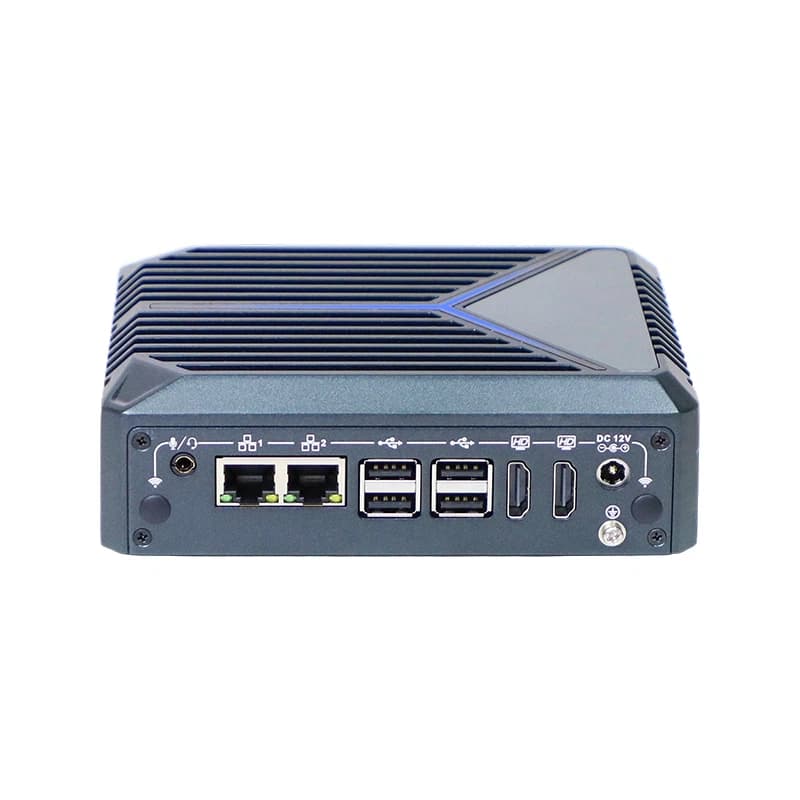
Mini PCs
N1522
N1522: Intel Twin Lake N150 (4 cores, 4 threads, up to 3.6GHz) with 2x RTL8111H Gigabit LAN (10/100/1000M).
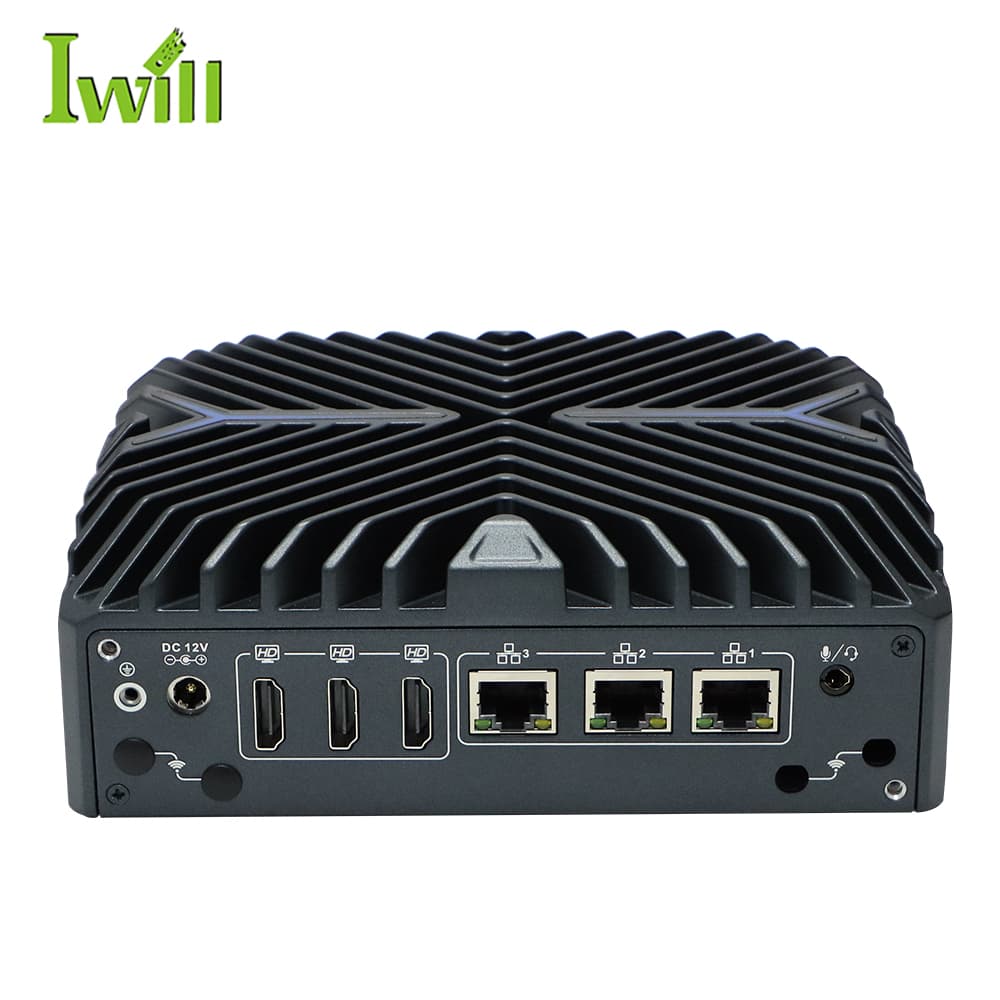
Mini PCs
Nano-N3322
Nano-N3322: Intel i3/i5/i7-1255U (6-10 cores, up to 4.7GHz, Alder Lake) with 3x 2.5G LAN.
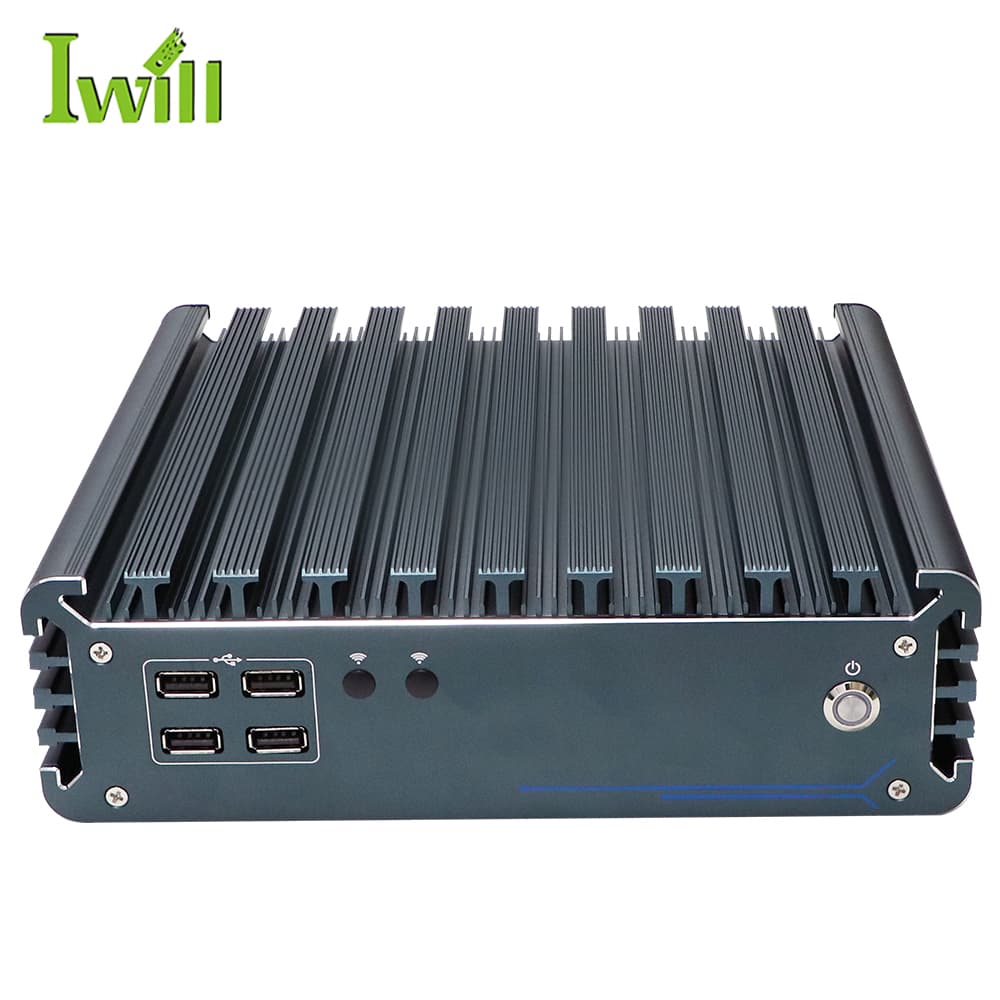
Industrial PCs
IBOX-3226
IBOX-3226: Intel i3-1215U / i5-1235U / i7-1255U (12th Gen) with 2x LAN.
RAM, storage, and OS image quoted per configuration — tell us the stack you plan to run.
Configure an agent host