
Self-hosted and hybrid AI: why running it without a real firewall is a risk
Ollama plus cloud APIs is the reality of hybrid AI — but most setups run behind a basic router. Why self-hosted models need egress filtering, VLAN isolation, and DPI, and how a multi-LAN appliance with OPNsense delivers it.
The typical AI setup in a small company today is hybrid: Ollama or LM Studio running local models for private or high-volume work, plus cloud APIs (Claude, GPT) where maximum capability matters, often orchestrated by agent frameworks that browse, execute code, and call tools. What almost none of these setups have is network policy. Everything sits behind the same flat router as the office laptops.
The threat model nobody wrote down
- Exposed inference services — Ollama and similar tools bind HTTP APIs; on a flat network, everything on the LAN (and every compromised device) can reach them.
- Uncontrolled egress — agents and tool-using models make outbound calls by design. Without egress filtering, so does anything malicious that lands on the AI host.
- Prompt-injected exfiltration — an agent that reads external content can be steered into sending data out. Network policy is the backstop when application-level guardrails fail.
- Supply-chain surprises — model runners, plugins, and Python dependencies update often; the network should not extend them blanket trust.
The architecture: zones and egress control
The fix is classic network engineering applied to a new workload. Put the AI stack in its own VLAN zones on a multi-LAN firewall running OPNsense or pfSense:
- AI-host zone — the inference machines. Inbound: only from the user zone on the specific API ports. Outbound: deny by default.
- Agent zone — tool-running agents that legitimately need outbound access. Egress allowed only to an allowlist (model APIs, package mirrors, your repos) with DNS filtering and logging.
- User zone — laptops and workstations reaching the AI services, never administering them.
- Management zone — SSH/console access to the hosts, reachable only over VPN.
Add deep packet inspection (Zenarmor on OPNsense, or Suricata) for visibility into what the AI zone actually talks to — the logs answer the question every security review eventually asks.
The hardware it takes
This is a multi-LAN, moderate-throughput duty — exactly what compact fanless appliances are for. The Nano-N1241 (Alder Lake N100, 4× 2.5G Intel LAN, TPM 2.0) maps one physical port per zone with headroom for DPI at multi-gigabit LAN speeds. The Nano-N1121 (3× 2.5G LAN) covers the two-zone starter layout. Both run silent and fanless next to the AI hosts they protect.
| Setup | Appliance | Zones |
|---|---|---|
| Solo dev, one AI host | N1121 | AI zone + user zone + WAN |
| Team, agents with egress | N1241 | AI, agent, user, management |
| Office-wide with IDS/IPS | N3161 or rackmount | Full segmentation + inspection |
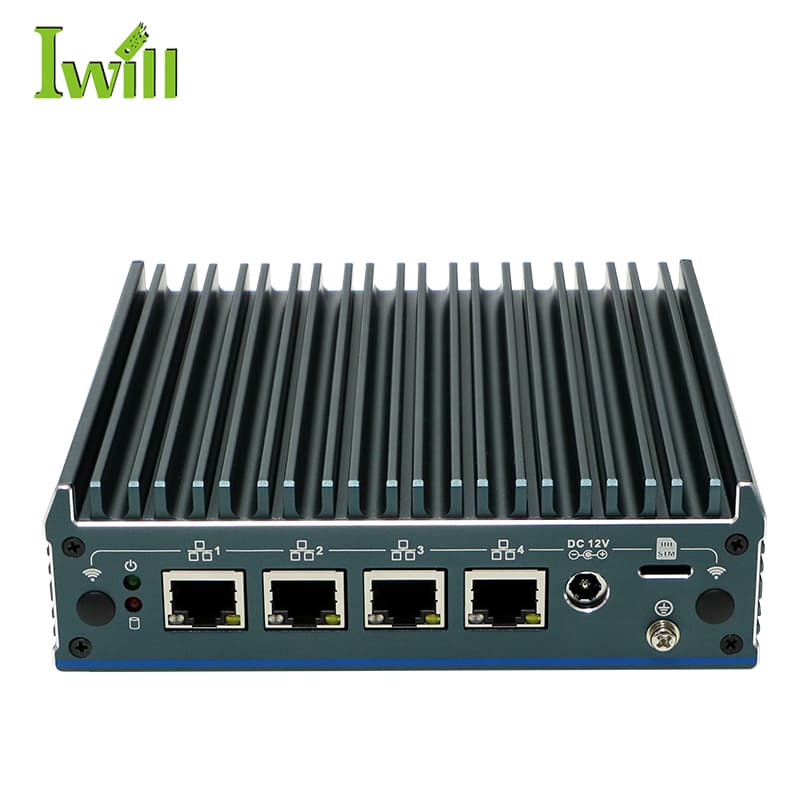
Mini PCs
Nano-N1241
Nano-N1241: Intel Alder Lake N100 (4 cores, up to 3.4GHz) with 4x 2.5G LAN.
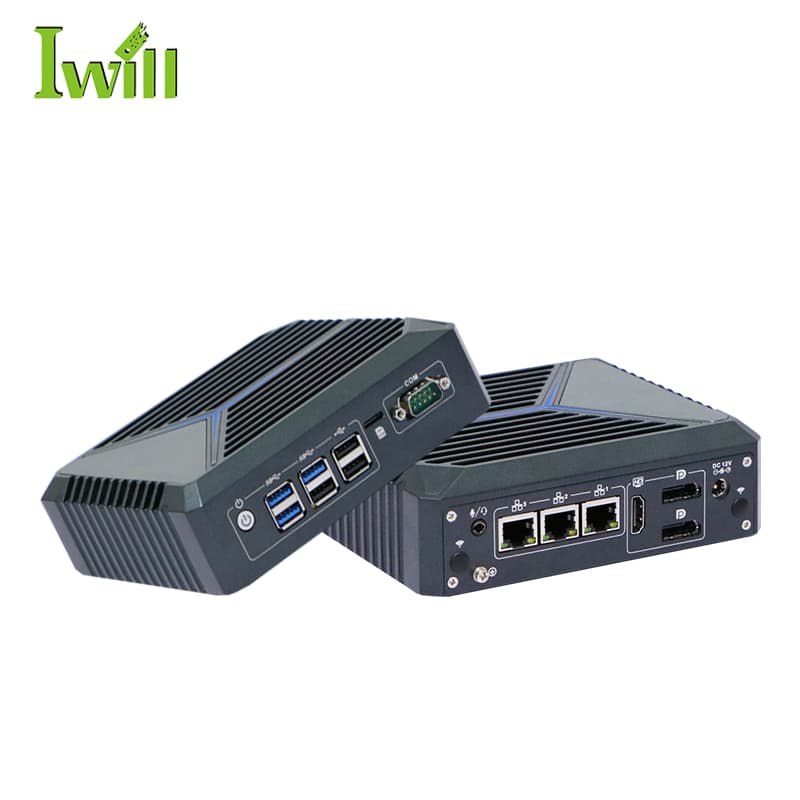
Mini PCs
Nano-N1121
Nano-N1121: Intel Celeron J6412 (4 cores, 2.0GHz up to 2.6GHz) with 3x 2.5G LAN.
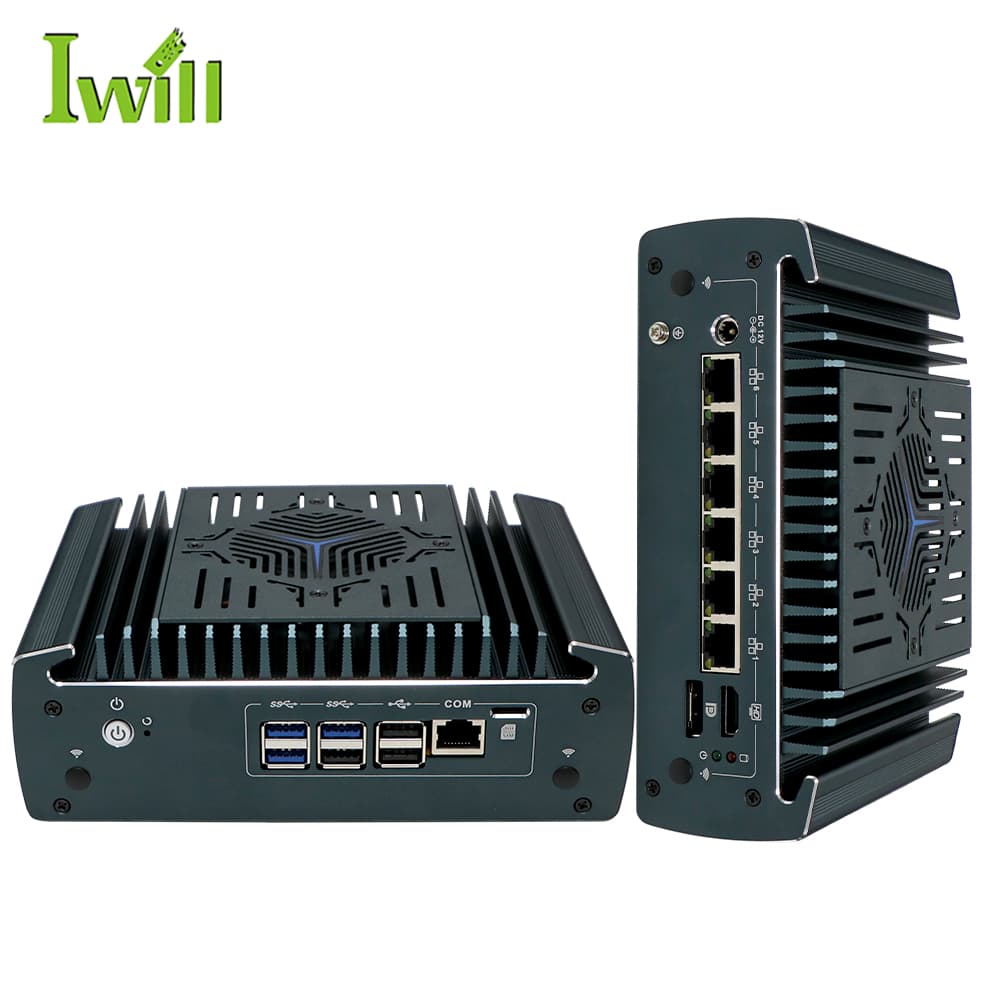
Firewall Appliances
Nano-N3161
Nano-N3161: Intel i3-1215U / i5-1235U / i7-1255U (Alder Lake, up to 4.4GHz) with 6x 2.5G LAN (1-4 option PoE).
Describe the AI stack and network — we will propose the appliance and zone layout.
Secure an AI deployment