
Why your ISP router is not protecting you (and what to do about it)
The router from your internet provider is not a firewall. Learn what a real network firewall does, how VPN protects remote work, and how a compact fanless appliance running pfSense or OPNsense delivers enterprise-grade protection.
The router your internet provider installed does one job well: moving packets between your network and theirs. What it does not do is inspect that traffic, segment your network, filter what leaves it, or tell you anything about what happened. For a business — even a five-person office — that gap is where incidents live.
What an ISP router cannot do
- No real inspection — basic NAT is not a security policy; nothing looks inside flows.
- No segmentation — the POS terminal, the security cameras, guest Wi-Fi, and the accountant's laptop all share one flat network.
- No egress control — malware that gets in phones home freely; nothing filters outbound traffic.
- No visibility — no useful logs, no alerts, no answer to "what talked to what last Tuesday."
- Slow patching — ISP firmware updates arrive on the ISP's schedule, if at all.
What a real firewall adds
A dedicated firewall running pfSense or OPNsense turns the network edge into policy: VLANs separate what should never mix; rules define exactly which zones talk to which; IDS/IPS packages (Suricata) inspect traffic against known attack signatures; DNS filtering blocks whole categories of bad destinations; and everything is logged. Both platforms are open source, mature, and run on standard x86 hardware — no per-seat license, no vendor lock-in.
VPN: the remote-work essential
Exposing services to the internet "temporarily" is how most small-business breaches start. A firewall appliance terminates WireGuard, OpenVPN, or IPsec tunnels so staff reach internal systems through encrypted channels instead. Hardware AES-NI acceleration — present on every processor across our network range — keeps tunnel throughput at line speed.
The hardware to run it on
Firewall software is only as reliable as the box under it. The Nano-N1121 is the entry point: Intel Celeron J6412, 3× 2.5G Intel LAN, TPM 2.0, watchdog, fanless and silent — sized for gigabit offices with VPN and filtering. The Nano-N1241 adds a fourth 2.5G port and the newer Alder Lake N100 for heavier rule sets and IDS/IPS duty.
| Requirement | ISP router | N1121 + pfSense/OPNsense |
|---|---|---|
| Network segmentation (VLANs) | Rarely | Yes — per-port and tagged |
| IDS/IPS | No | Suricata packages |
| Site-to-site & remote VPN | Limited/proprietary | WireGuard, OpenVPN, IPsec |
| DNS filtering / blocklists | No | Yes |
| Logging & alerting | Minimal | Full, exportable |
| Update cadence | Vendor-controlled | You control it |
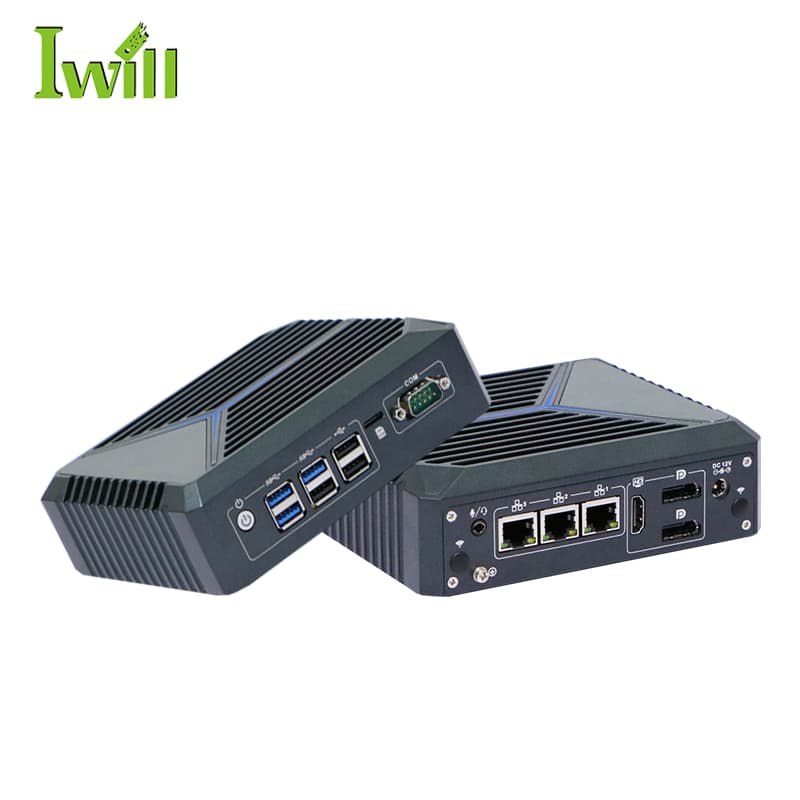
Mini PCs
Nano-N1121
Nano-N1121: Intel Celeron J6412 (4 cores, 2.0GHz up to 2.6GHz) with 3x 2.5G LAN.
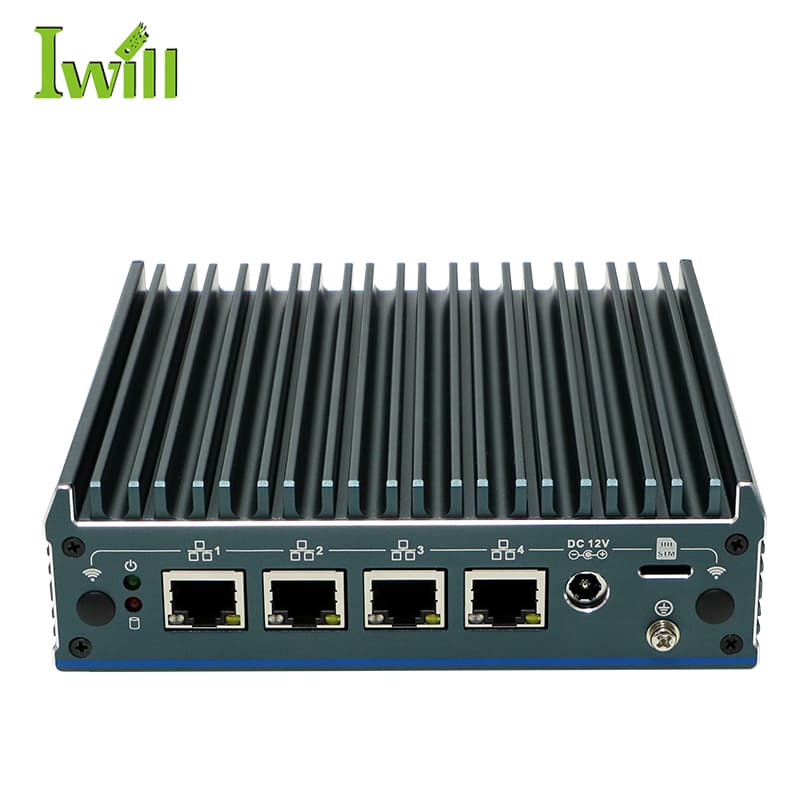
Mini PCs
Nano-N1241
Nano-N1241: Intel Alder Lake N100 (4 cores, up to 3.4GHz) with 4x 2.5G LAN.
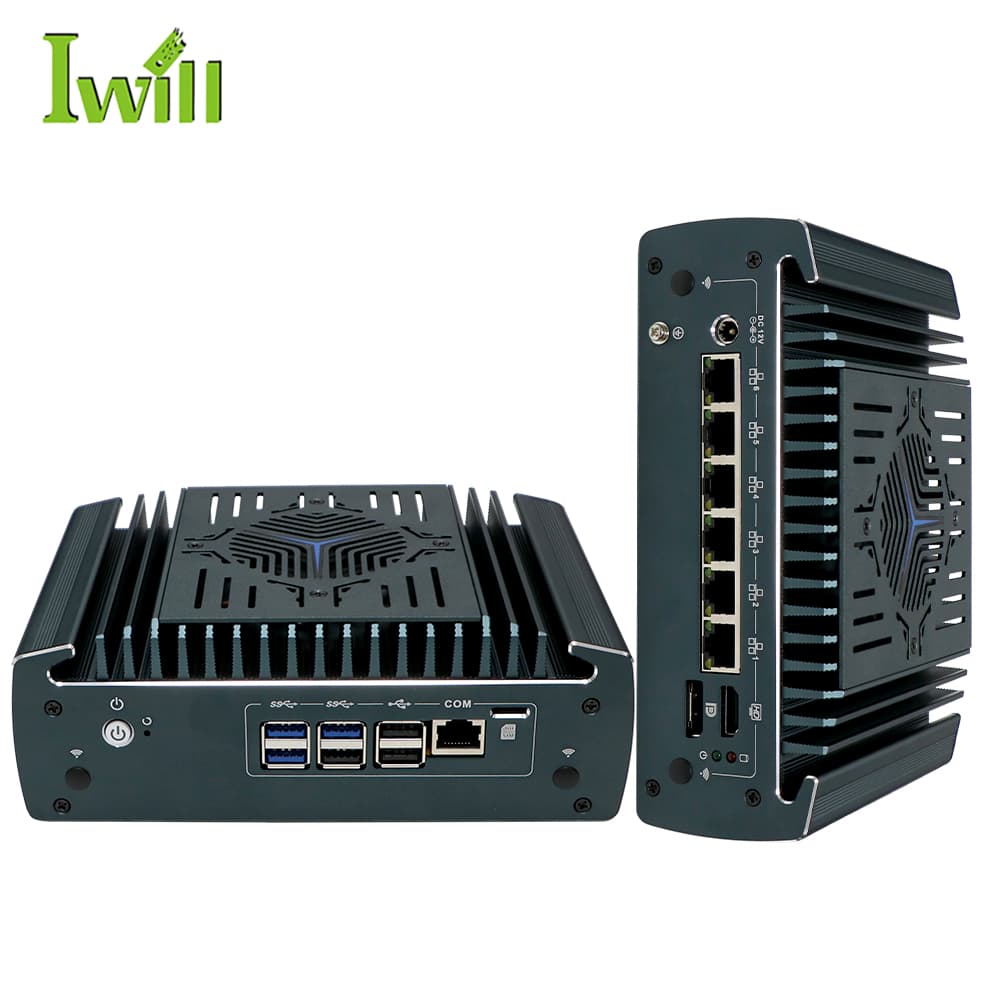
Firewall Appliances
Nano-N3161
Nano-N3161: Intel i3-1215U / i5-1235U / i7-1255U (Alder Lake, up to 4.4GHz) with 6x 2.5G LAN (1-4 option PoE).
Tell us the WAN speed, user count, VPN needs, and whether IDS/IPS will run — we will confirm the right platform.
Size a firewall appliance